A rich library to read, sing and explore
Discover audio stories, music books and interactive animals. Available languages vary by book.
 BiuLog
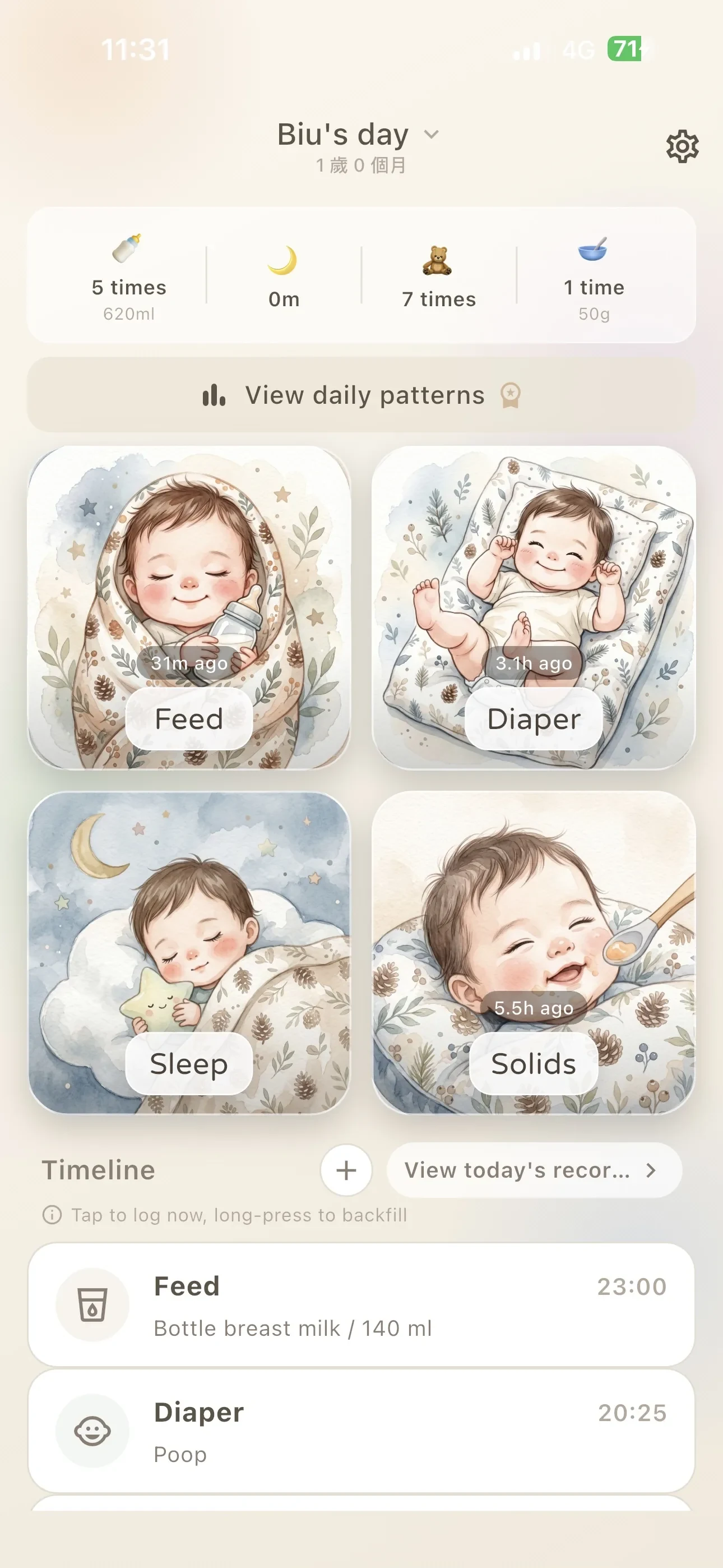
Log feeds, diapers, sleep and solids without breaking the moment. BiuLog turns everyday care, first teeth, milestones, health notes and growth into one clear story your family can follow.


A Magic Library, language-based parent chat rooms and personal cloud records bring more ways to connect around everyday care.
Discover audio stories, music books and interactive animals. Available languages vary by book.
Choose Chinese, Japanese or Global chat independently of your app language.
Keep daily care, growth, milestone and vaccine records in your personal account.
BiuLog is available on the App Store and Google Play. You can download or update the app now.
Explore what's new and how to use it (Traditional Chinese) →Real BiuLog screens with useful details already filled in—so you can see how the app works in real life.
Make repetitive care effortless and keep the once-in-a-lifetime moments close.
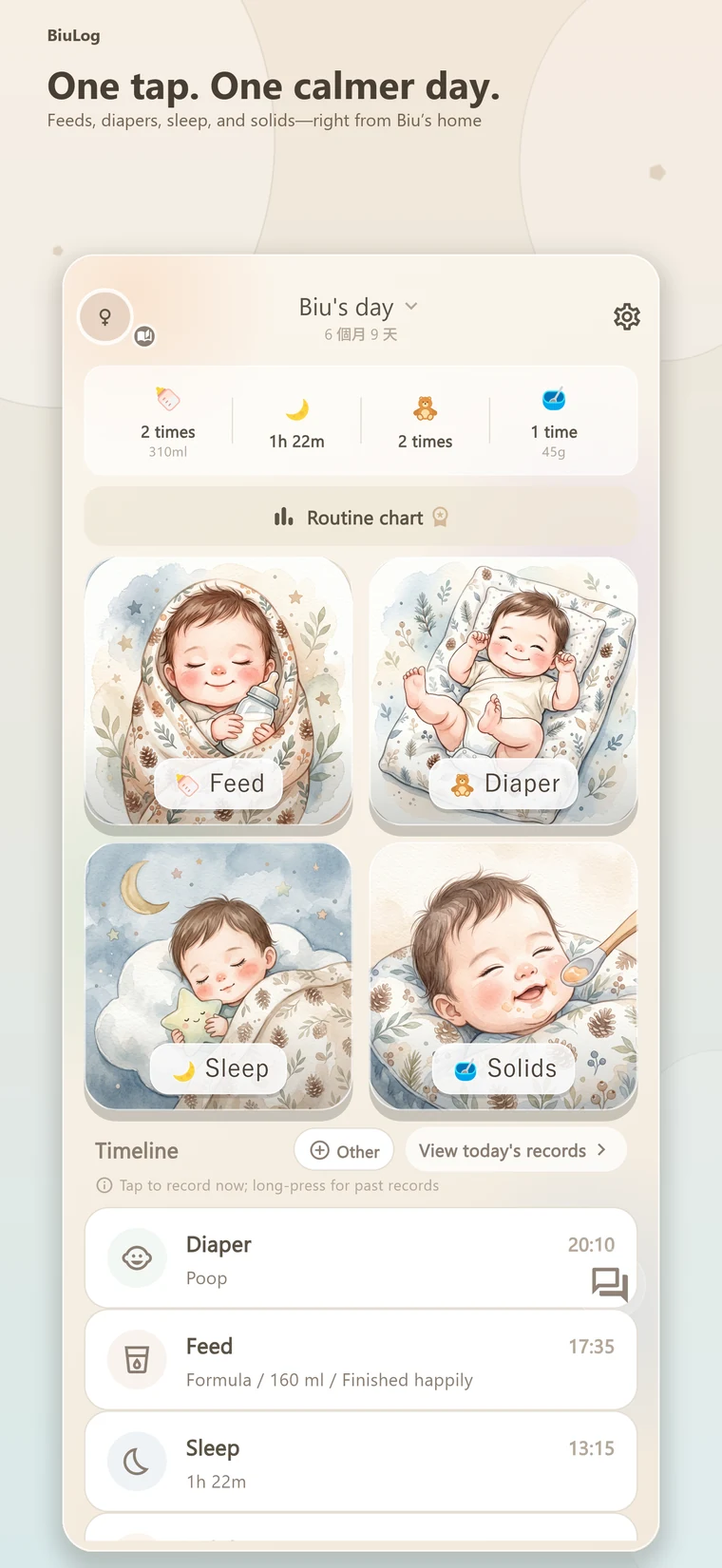
Feeds, diapers, sleep and solids live on the home screen. Tap for now or press and hold to backfill.
Share real experiences and encouragement with replies, mentions, reactions, reporting and blocking controls. You can also message the BiuLog developer directly with app questions or feature suggestions.
Personalize button text, colors, icons and images, then keep your most-used actions within reach.
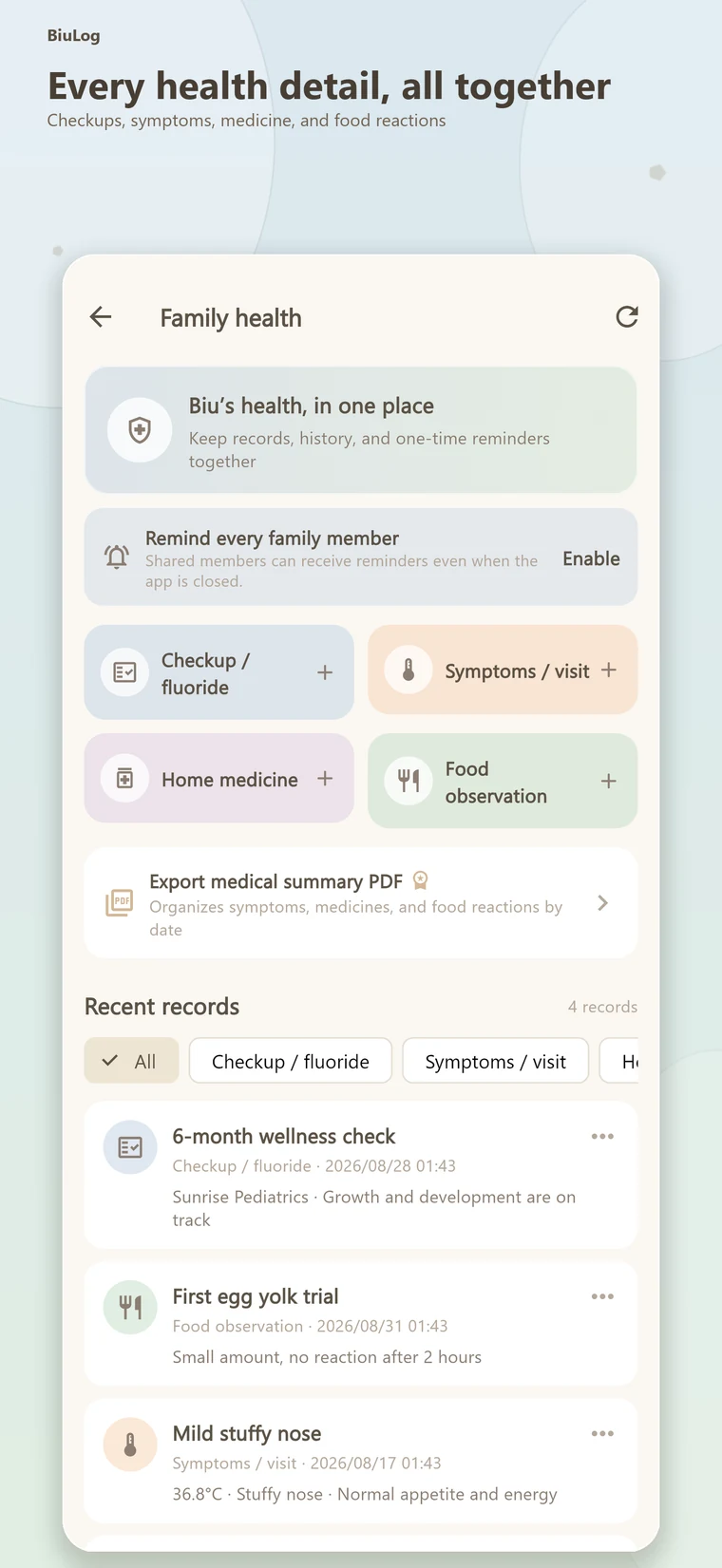
Keep checkups, symptoms, medicine and food reactions organized for the moments you need them.
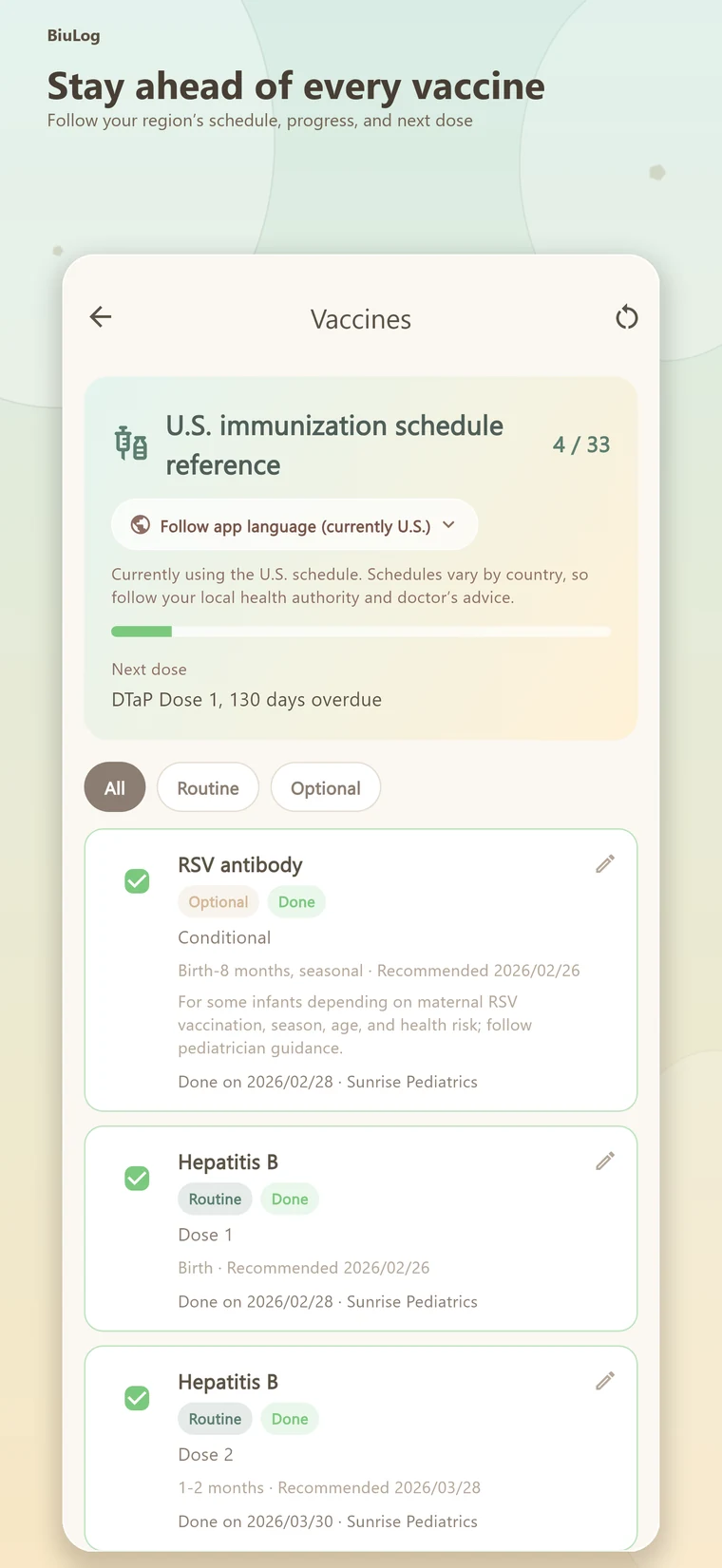
Follow your region's reference schedule, record completed doses and see what may be next.
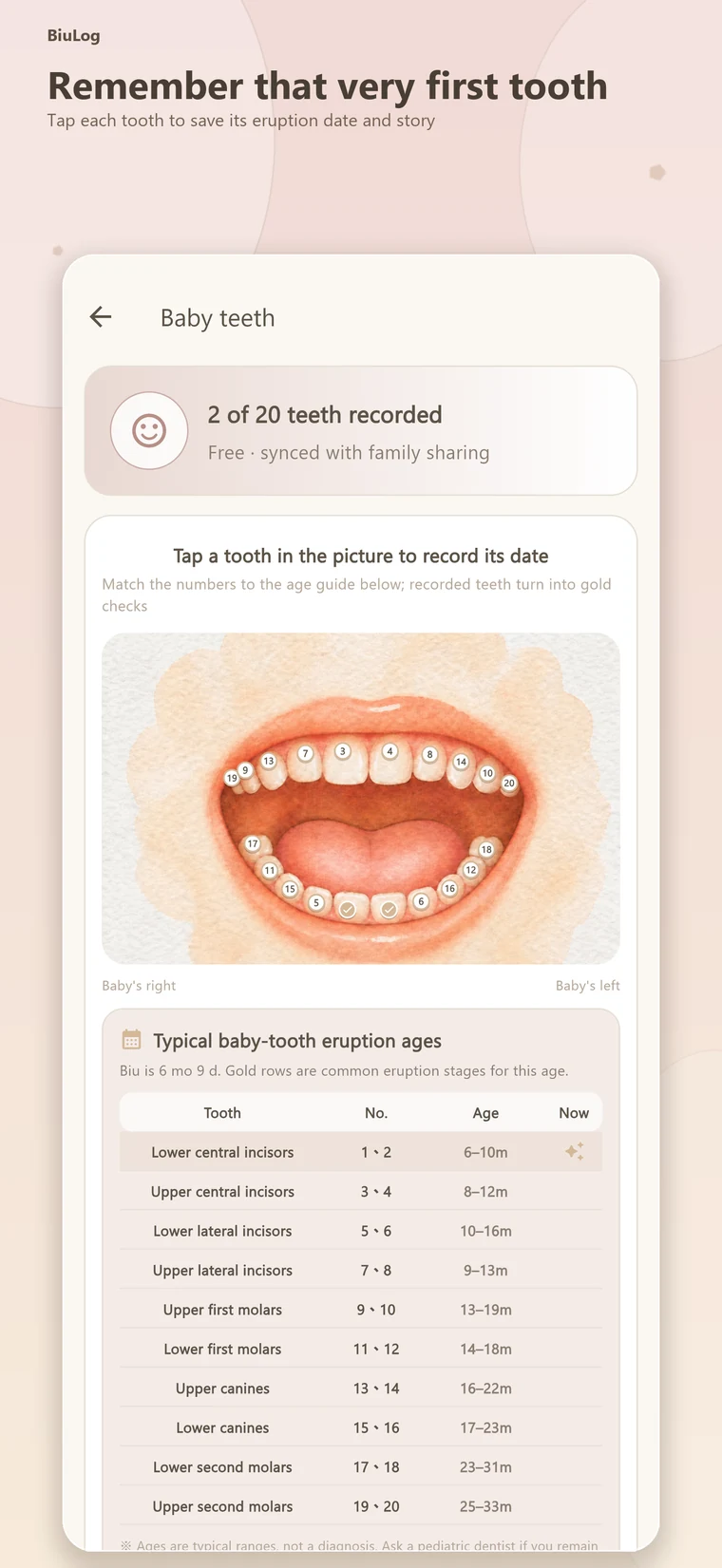
Tap an intuitive tooth map to save eruption dates for all twenty baby teeth.
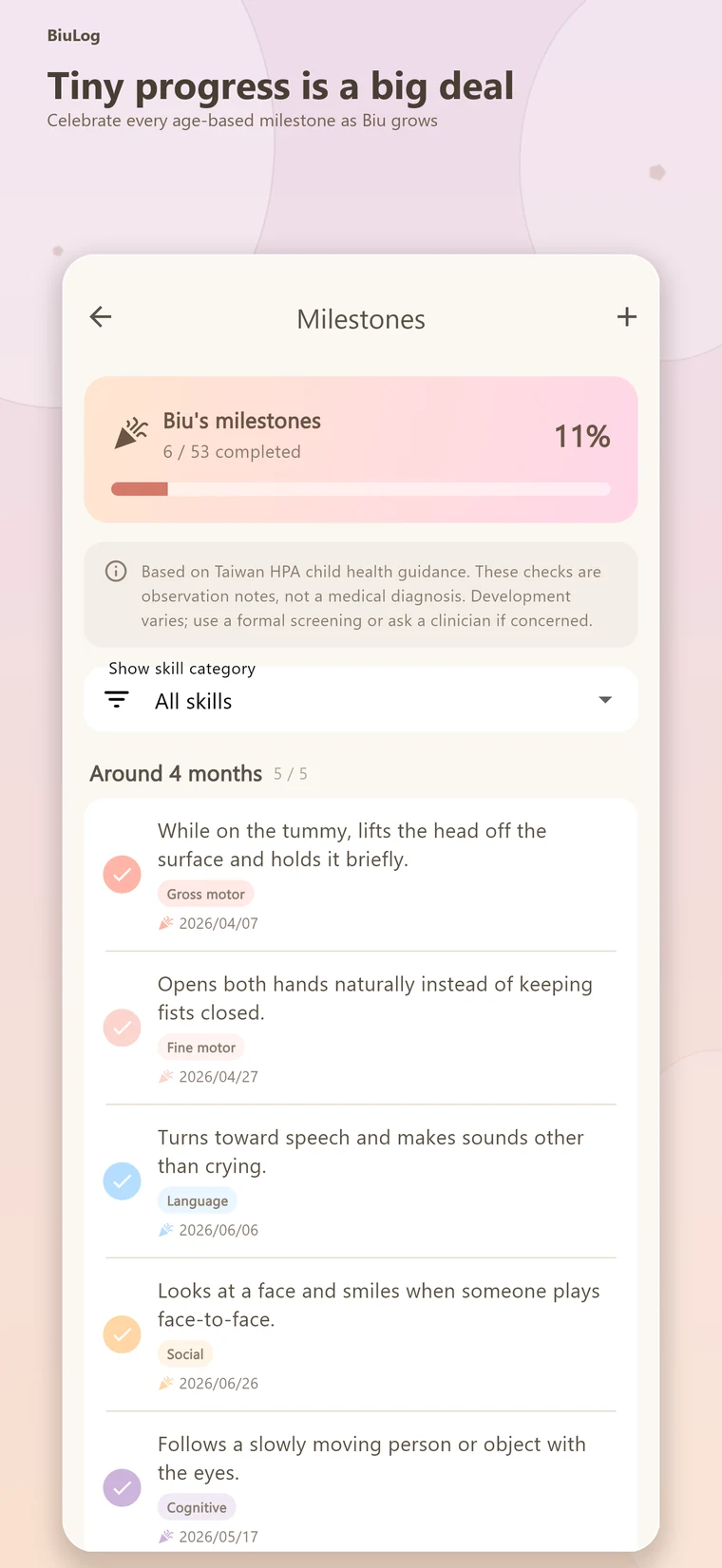
Collect age-based milestones—from rolling over and crawling to words and first steps.
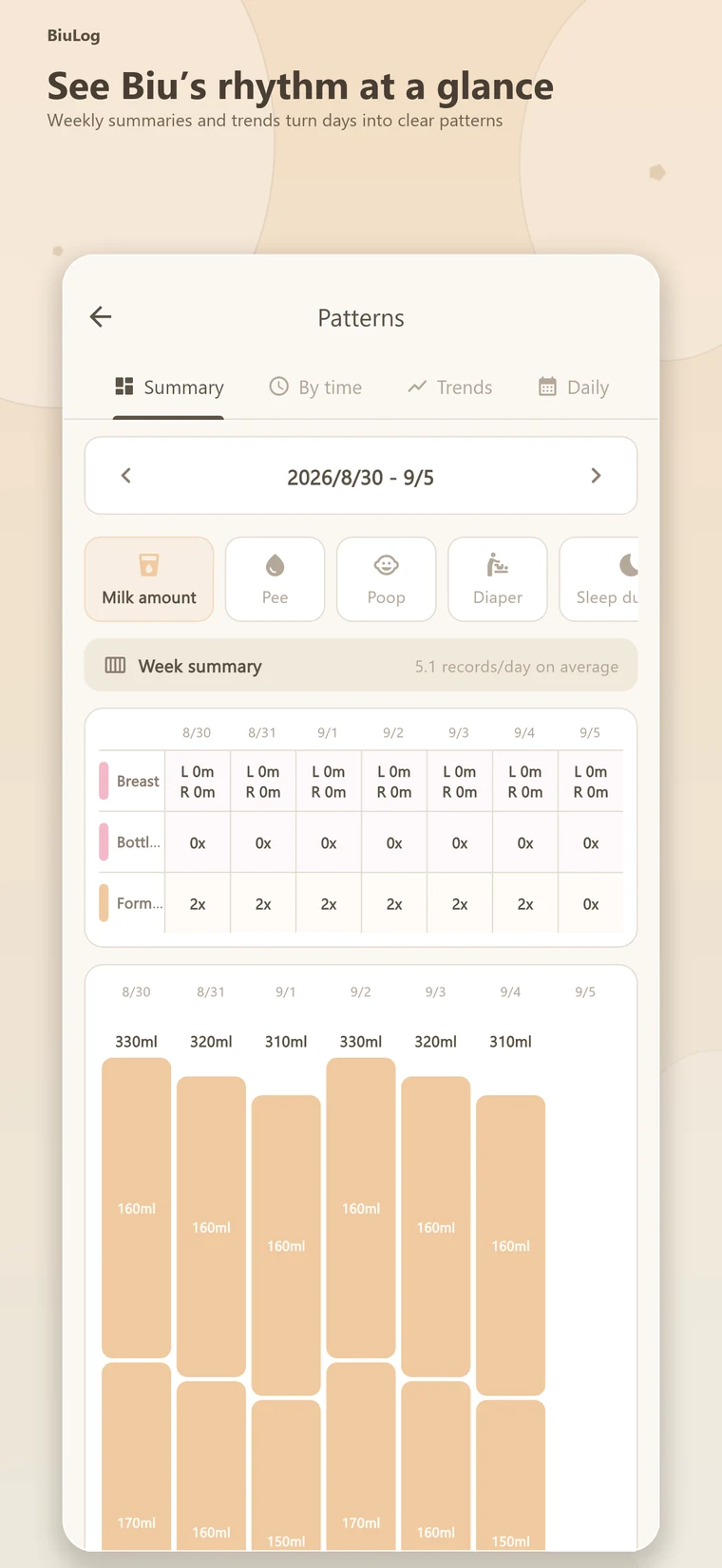
Weekly summaries turn feeds, sleep, diapers and solids into patterns you can actually use.
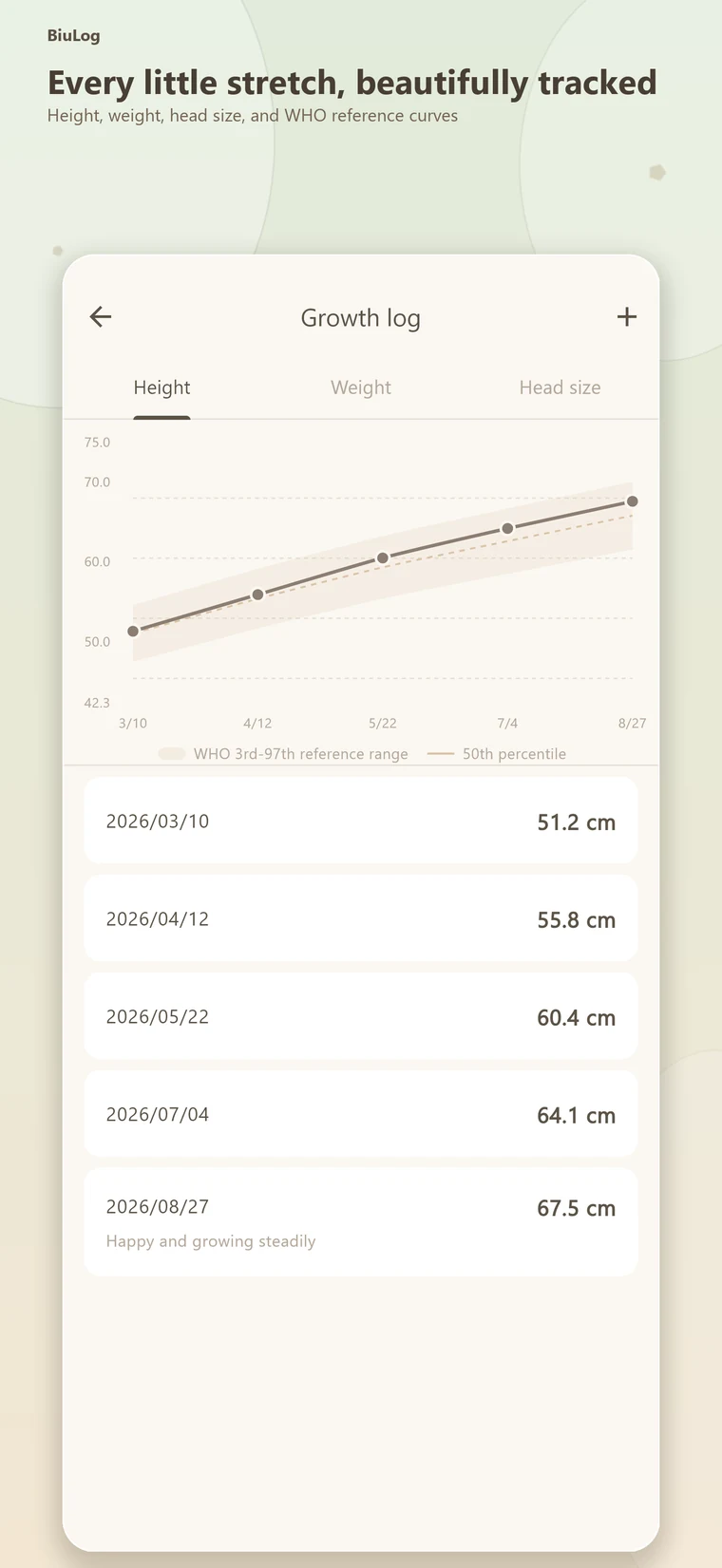
Track height, weight and head size alongside reference growth curves.
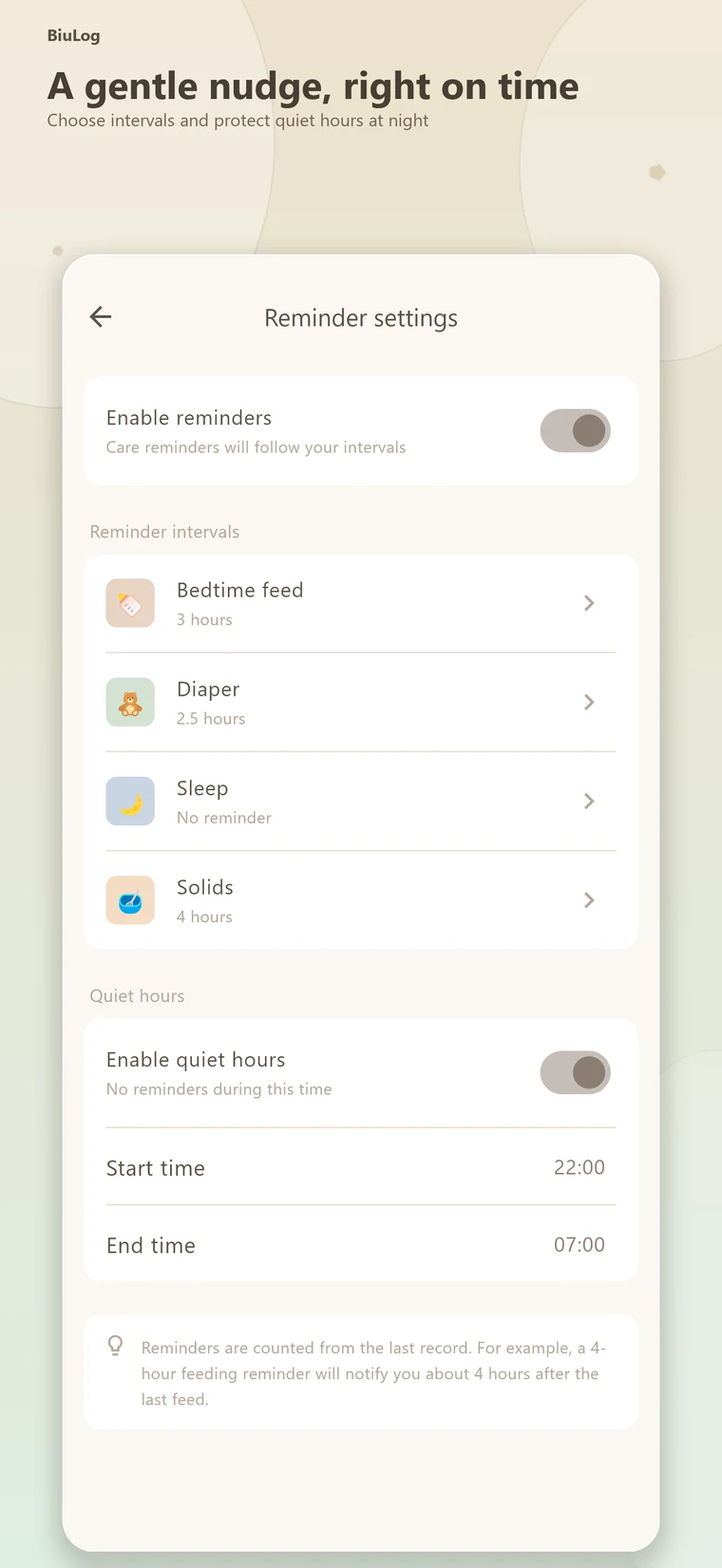
Choose reminder intervals and quiet hours so help arrives without waking the house.
Feeding, sleep, diapers, and solids remain quick to log, while teeth, development checks, growth, vaccines, health, and family notes stay together without cluttering settings.

Add feeding, diapers, sleep, solids, temperature, and other events from Home; long-press to backfill earlier records.

Growth, milestones, teeth, vaccines, development, health, journals, and toilet learning stay clear without complicating Home.
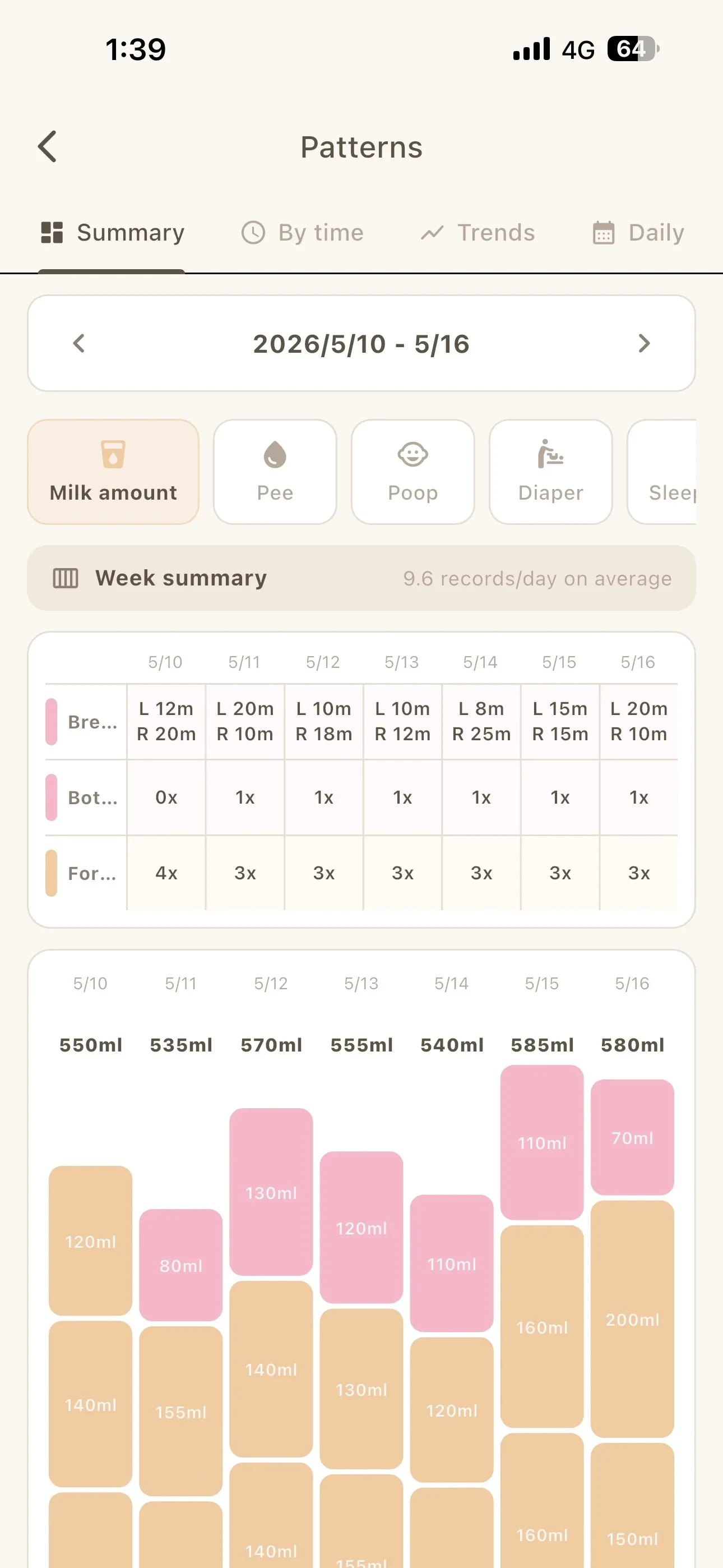
Weekly summaries, 24-hour heatmaps, trends, and daily timelines reveal how feeding, sleep, and diapers are changing.
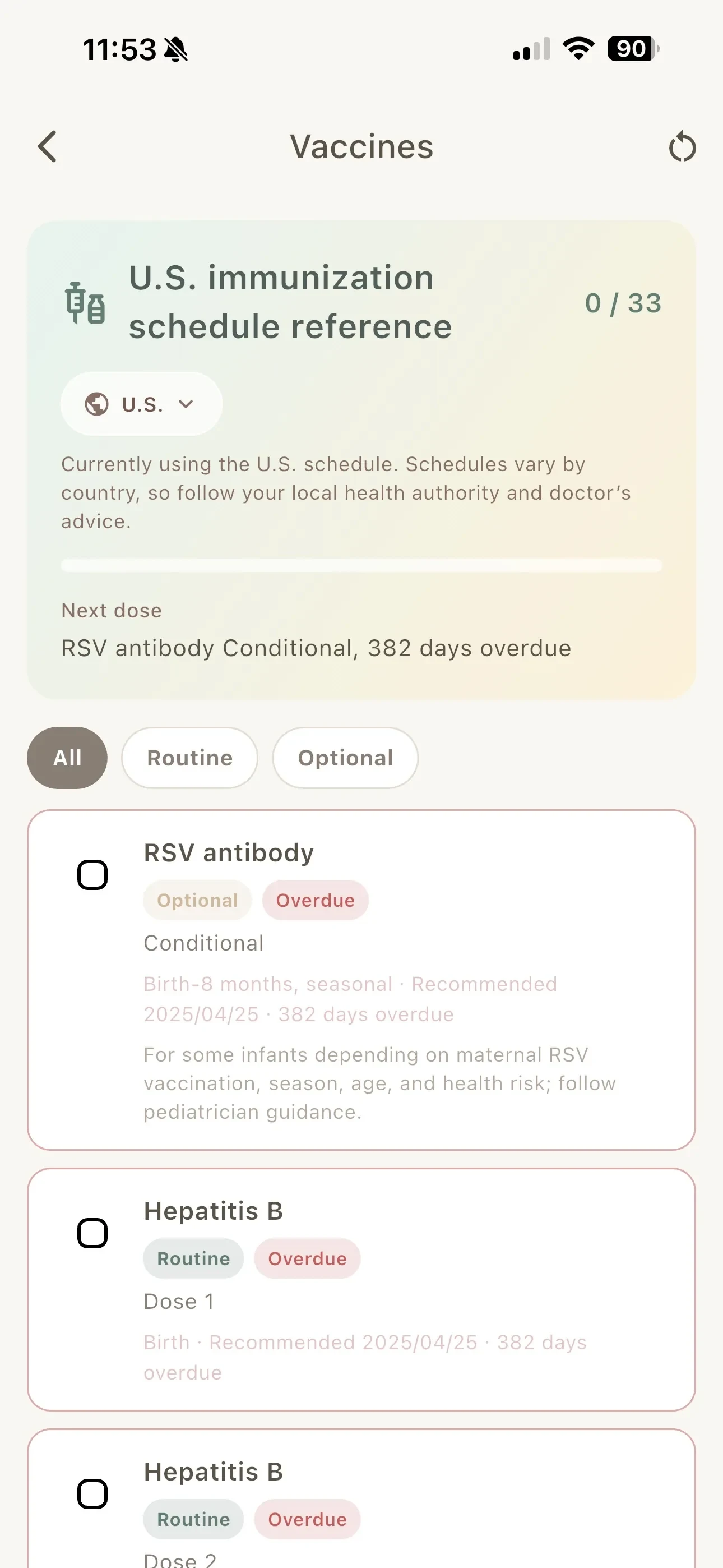
Use a localized reference schedule and keep completed doses, dates, and next steps together. Always follow official and medical guidance.

Tap a tooth in the illustrated mouth to record its date. Numbers become checkmarks after recording, with common eruption-age ranges shown below.
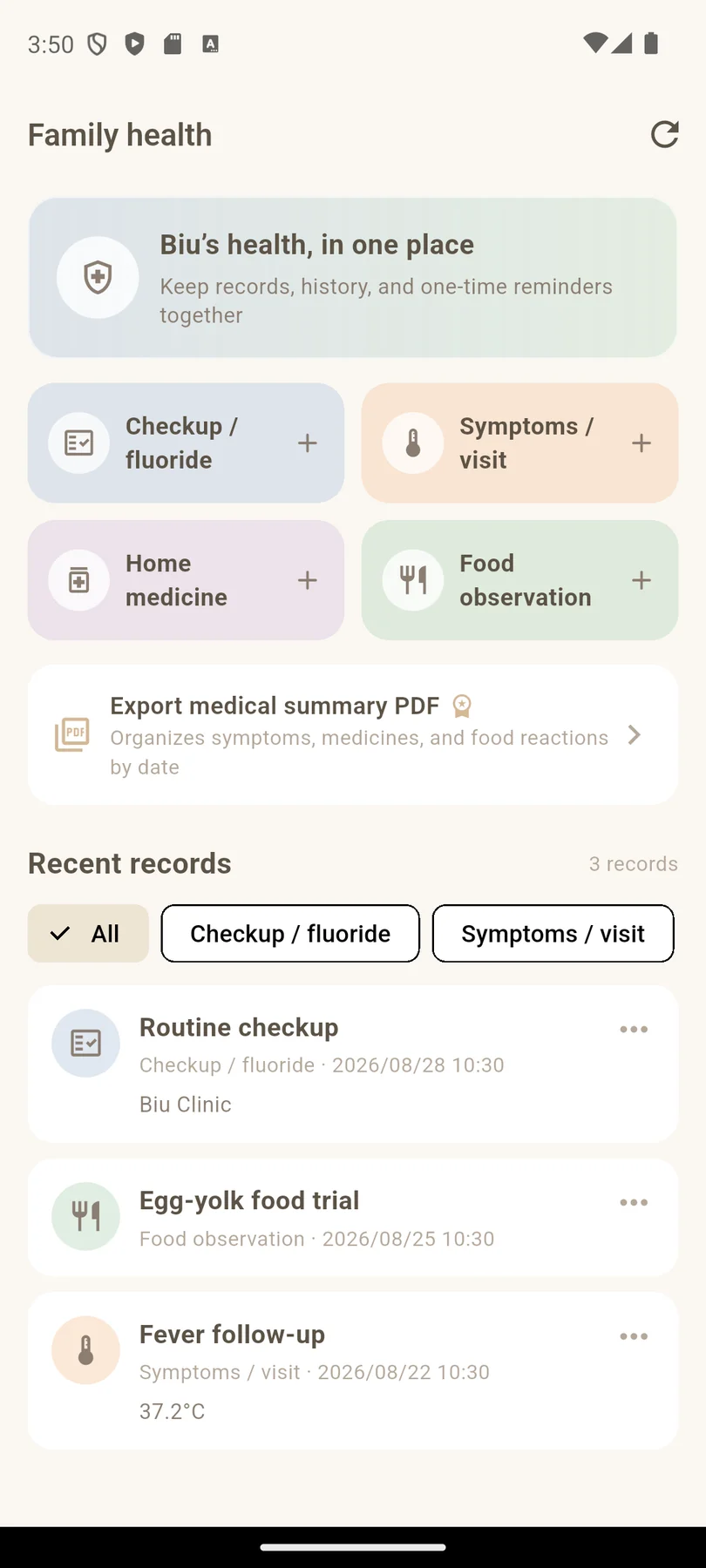
Save Biu's checkups, fluoride visits, symptoms, home medicines, and food observations so key health details never get scattered.
The family home screen stays in place. When a child joins a partner organization, the app adds a private care book, daily care details, notices, photos, messages, and important items.
Only your child’s content is shown; home records and organization sharing remain separate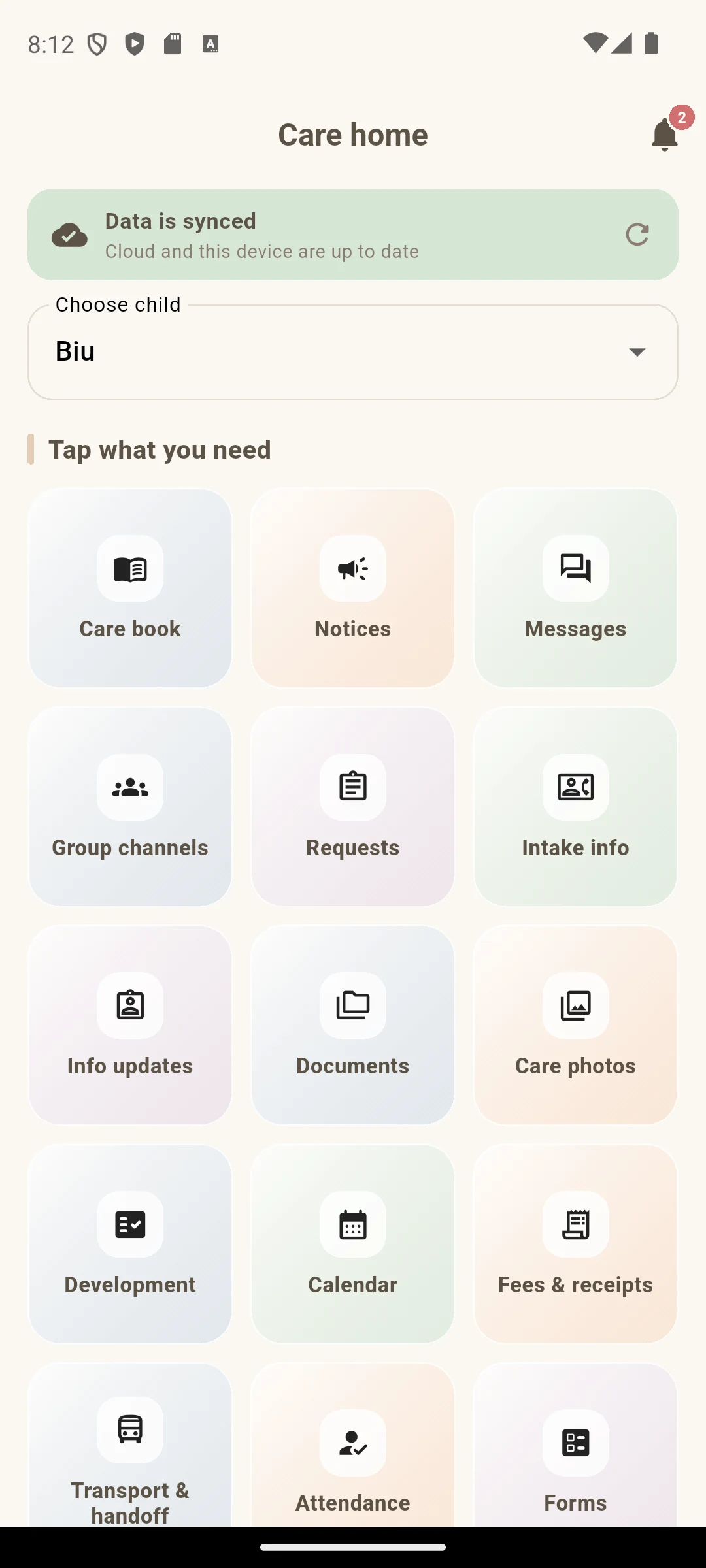
Families see only their own child's organization content, with clear entries for care books, notices, messages, requests, and photos.
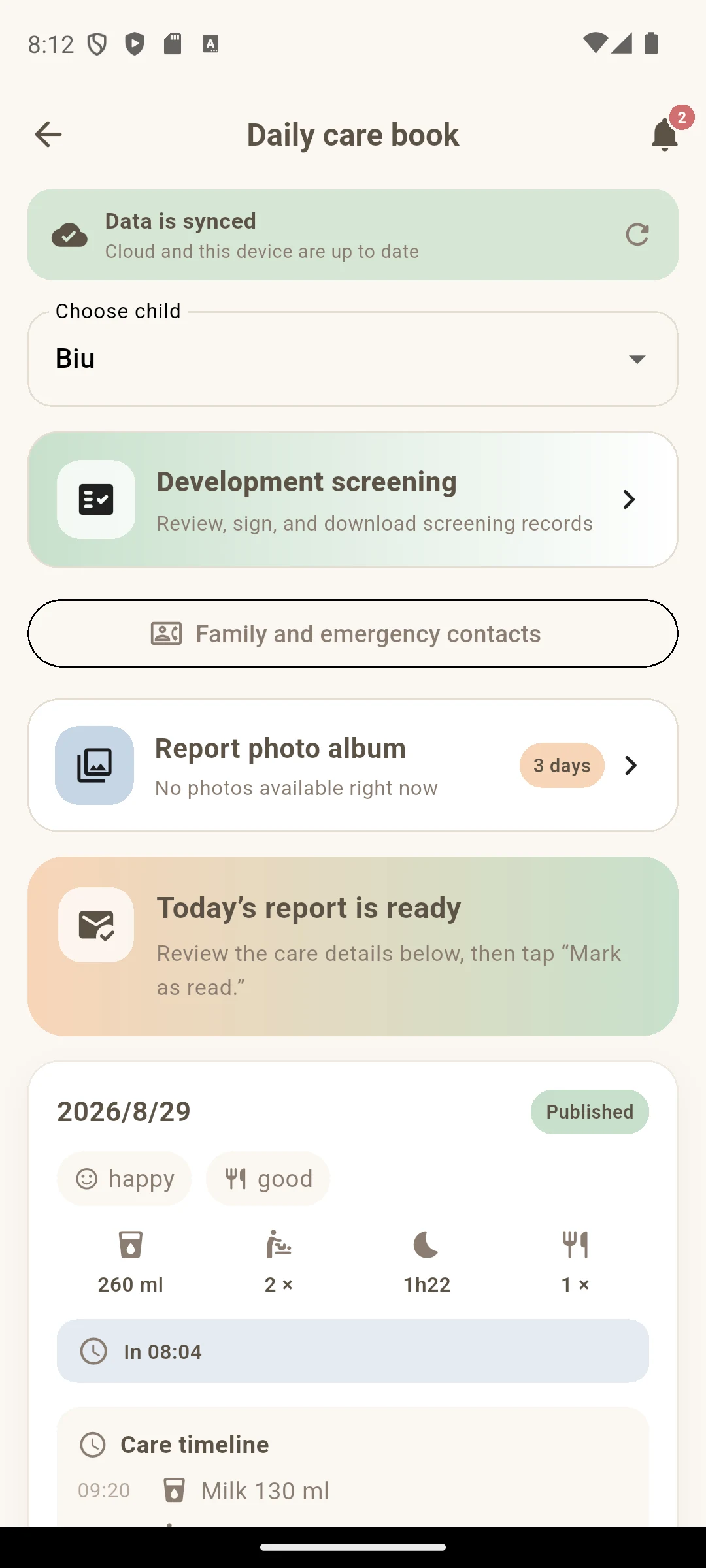
Mood, appetite, feeding, diapers, sleep, check-in, and the care timeline stay together for a more reassuring handoff at home.
Everyone caring for Biu can see the same feed, sleep and diaper history, while weekly summaries make changing routines easier to understand.
The actions you use most stay on the home screen, ready for one-handed logging.
Family members can view and add to the same care record instead of asking for updates again.
Routines, health, first teeth and milestones grow into a story made just for Biu.
Partner nurseries, postpartum centers and professional caregivers can share clear daily updates without replacing your family home. Family and organization data stay in their proper spaces.
Discuss a care partnershipYes. BiuLog is available for iPhone and Android. Family members can use their own accounts and Family Sharing in the app to view and add baby-care records together.
One person creates the family and can invite up to 2 others. Check that Family Sharing is available in the app before creating it. Sharing covers all babies in the family. If joining shows a matching-baby prompt, read the data-replacement explanation first.
Yes. Sign in to BiuLog, complete your chat profile, then choose the option to message BiuLog in the parent chat room. You can ask how to use the app, report a problem or suggest a feature. On smaller screens, look in the additional settings menu for this option.
Care handoffs, daily logs and childcare record checks. These guides are in Traditional Chinese.
Find the App Store page, Google Play page, privacy policy, app-ads.txt, and support contact here.